Sigrow web app version 3.12 is now available, with two new features, four improvements, and five bug fixes. The headline change is a rebuilt alerting system: alerts now have their own page, two clear alert types, and delivery by email, SMS or WhatsApp.
New: a rebuilt alert system with its own page
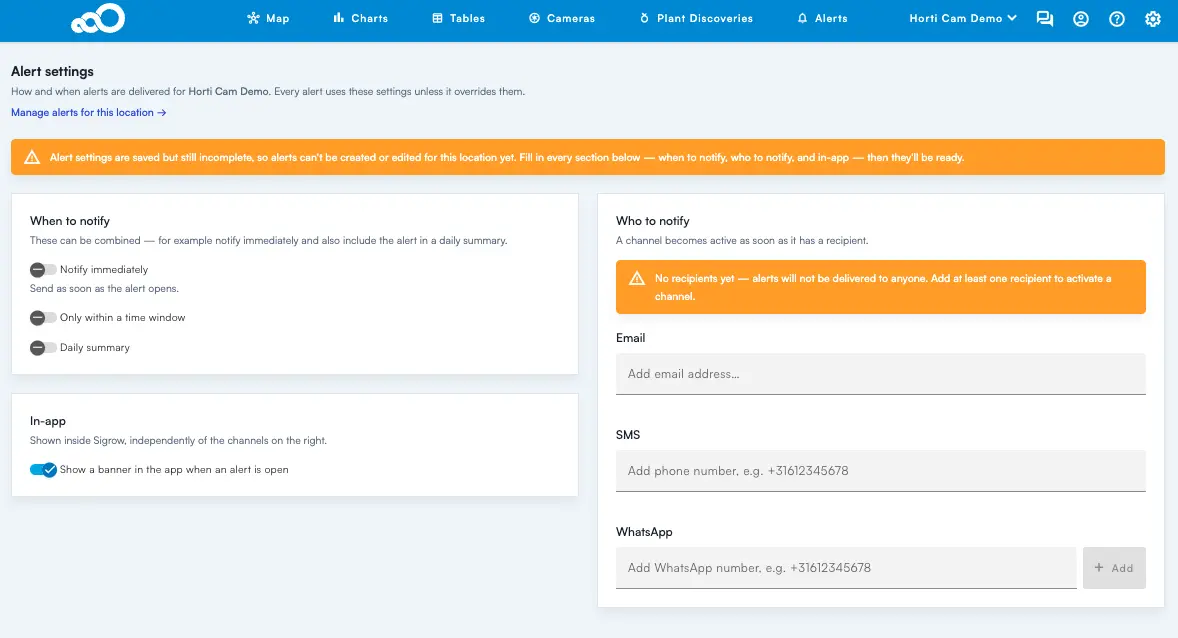
Alerts have moved out of the settings and into their own sub-page in the top navigation. Hover Alerts in the main menu and you get two options:
- Alerts: the list of alerts for this location, and where you create new ones.
- Alert settings: how and to whom alerts get delivered.
You normally visit Alert settings once, then live in Alerts. Note that alerts are location based. If you have access to more than one location, check the location name in the header before you create anything.
Alert settings: when, and to whom
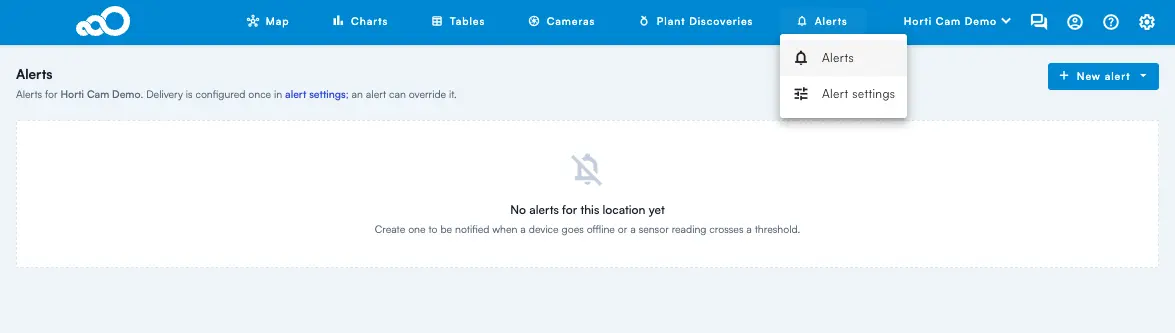
Alert settings apply to every alert at that location unless an individual alert overrides them, so they are worth getting right once. Before your first alert can be created, you need to define both when to notify and who to notify.
When to notify. The three options combine rather than compete, so you can be notified immediately and still get the same alert in the evening summary.
- Notify immediately: sent as soon as the alert opens.
- Only within a time window: hold delivery to defined hours.
- Daily summary: one digest instead of, or alongside, the live messages.
In-app. Showing a banner in the app while an alert is open works independently of the delivery channels. It is the quiet option: nothing leaves the platform, but anyone in the account sees the state.
Who to notify. Three channels: Email, SMS and WhatsApp. A channel switches on the moment it has a recipient. Add numbers in international format (+31612345678). WhatsApp numbers carry a Verified badge once confirmed, and an unverified number will not receive anything.
Two alert types
Click + New alert and choose the type. The two options open different forms and you cannot switch type after creating, so pick deliberately.
Device offline is the short one. Give it a name, say how long a device may stay silent, and optionally exclude devices. The Not reporting for field defaults to 30 minutes; set it comfortably above your normal reporting interval so a single missed transmission does not wake anyone. Anything listed under Except these devices never triggers that alert.
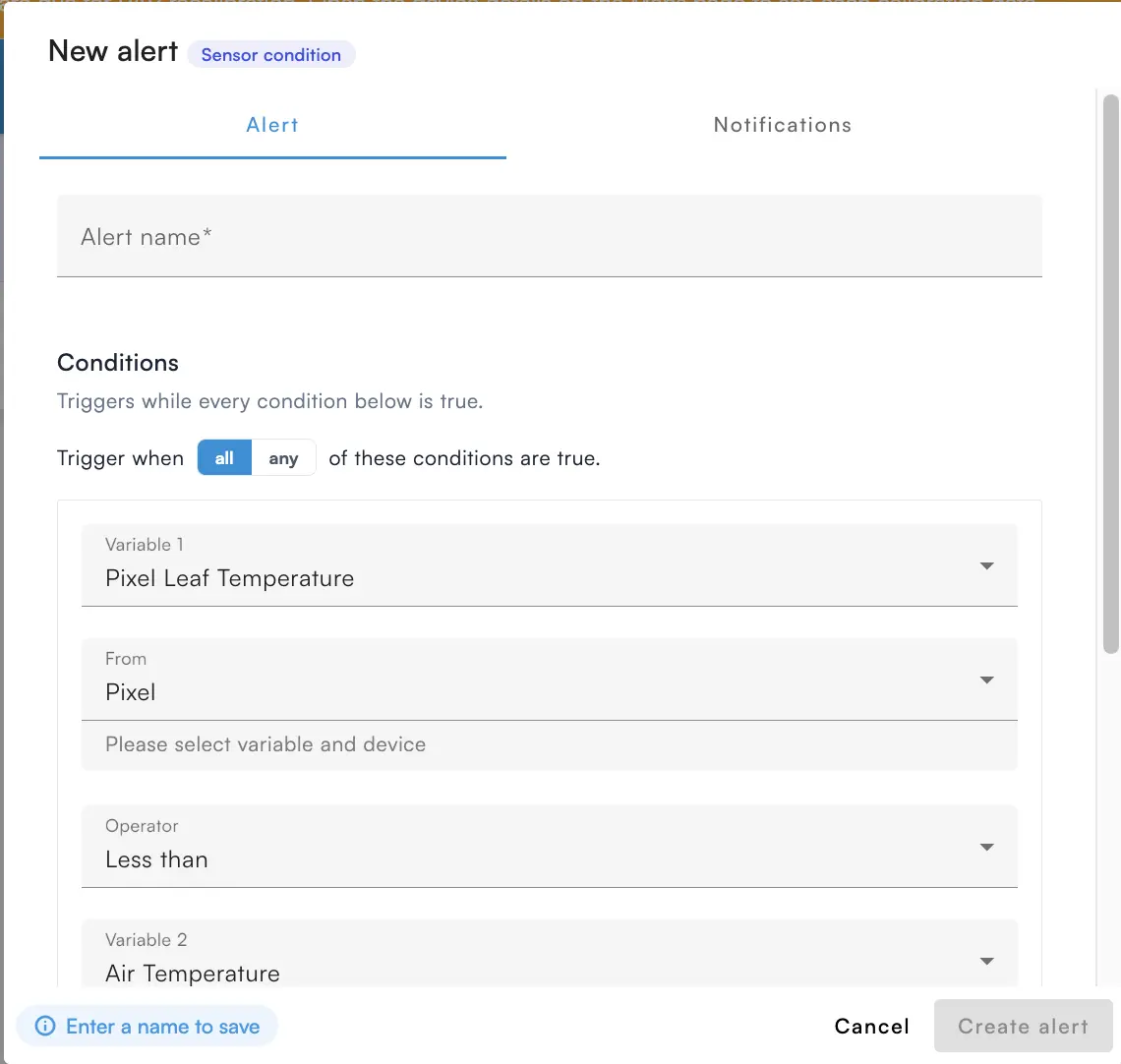
Sensor condition is the one that carries plant logic. You build a condition out of a reading, an operator, and something to compare it against, then decide whether all or any of your conditions must hold. Use all to narrow a rule down, and any to cover several devices with one alert.
Variable 1 is the reading you are watching, from air temperature and VPD Air to S Pore EC, Dry Leaf Temp or battery percentage, whatever that device reports. Variable 2 is what you compare it against: either a threshold, or a second reading with its own device. Comparing two readings is what makes rules like leaf temperature below dew point possible, using a Pixel in the canopy. If you are picking the numbers for that kind of rule, our dew point calculator is a quick way to sanity-check them.
The old alerting system is still active in the app, so you can open your existing alerts on the Configuration page and rebuild them in the new system at your own pace.
New: Meanmap
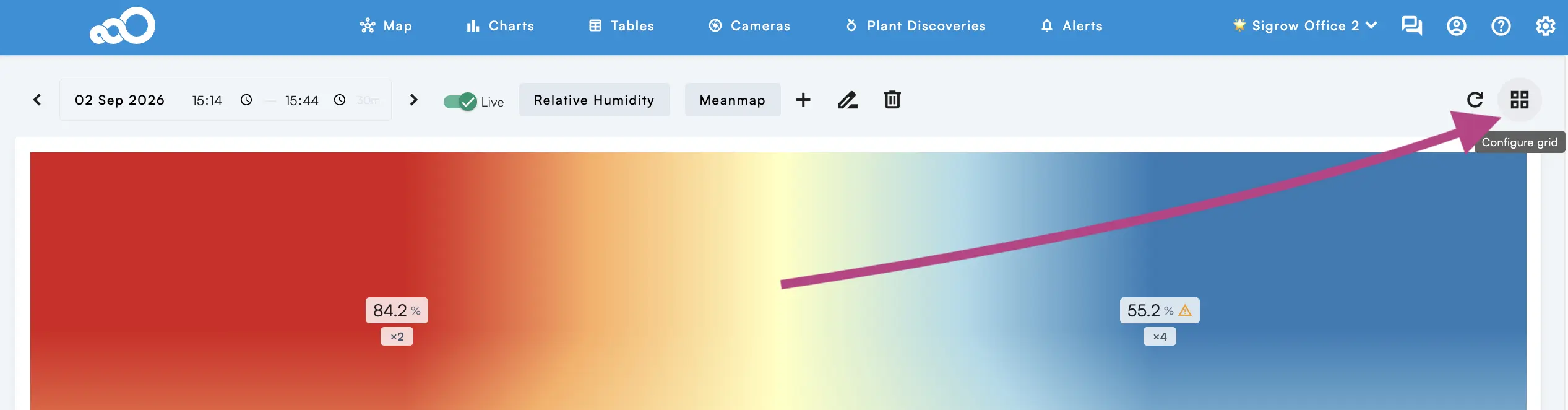
The Map navigation has a new subpage, Meanmap, next to Maps and Heatmap. You group devices per grid block, and the block shows the mean of every device in that group for the selected variable. Once the grouping is done, use the Configure grid button to switch to the mean heat map.
It is the view to use when a single sensor reading says less than the block it sits in: comparing averaged blocks across a compartment shows up climate differences that individual devices can hide.
Improvements
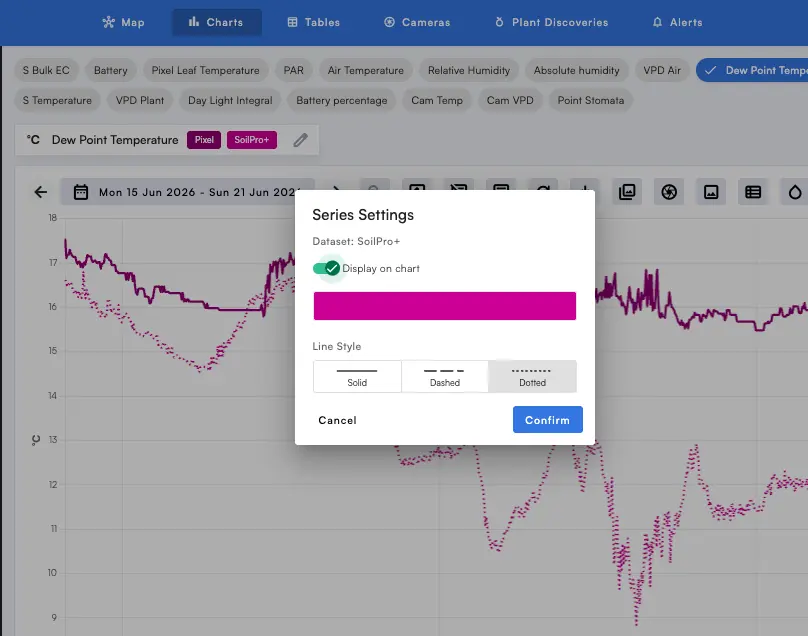
- Charts: you can now set the line type per variable, solid, dashed or dotted, so overlapping series stay readable.
- Weekly Report: a new export format. You can now export in either CSV or PDF.
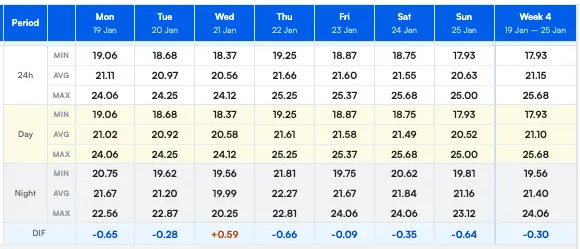
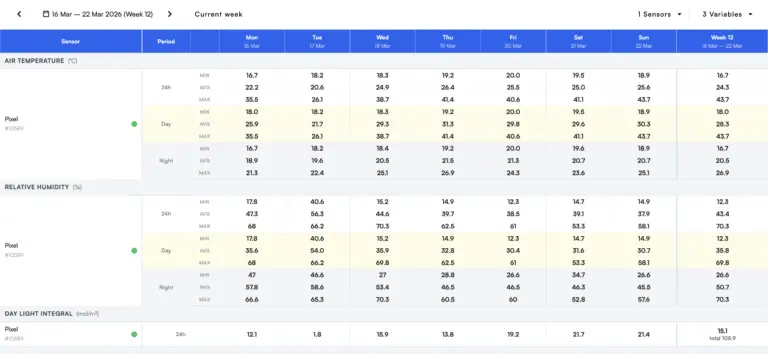
- Weekly Report: a new variable, DIF, the difference between the average day and night temperature.
- Microscope (a subpage of Cameras): the page no longer lets you select a future timestamp, which returned no data and left you with a blank page.
DIF lands in the same table as your day and night averages, so you read the day to night temperature difference straight off the weekly report instead of working it out yourself.
Bug Fixes
- Token update on password reset.
- Transpiration and stomatal conductance from the Stomata Camera are now saved in favorites.
- Fixed the app icons issue.
- Removed the tooltips that blocked subpages in the header.
- Fixed gauge text wrapping.
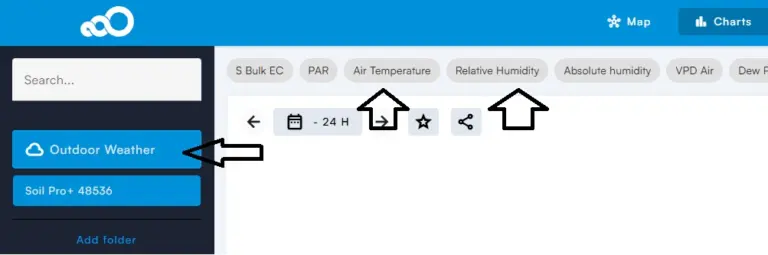
Coming from the previous release? Read the v3.11 update for outdoor weather on your Maps and Charts.
Questions or feedback? Reach our sales and customer success team at success@sigrow.com (Monday to Friday, 9:00 to 18:00 CET) or our technical support team at support@sigrow.com (Monday to Friday, 9:00 to 21:00 CET).
Author

Related Blogs

- Software Updates
By SigrowSigrow App Update v3.11
Sigrow web app v3.11 is now available, with two new features, four improvements,…- Software Updates
By SigrowApp update 18 June 2026
The new Weekly Reports page brings a full week of greenhouse climate data…- Software Updates
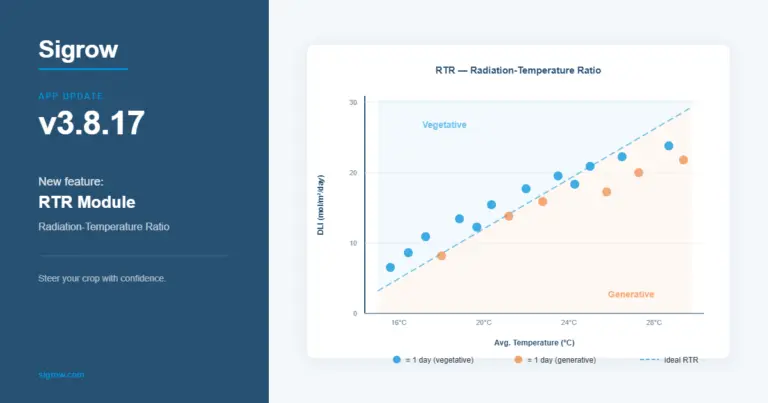
By SigrowSigrow App Update v3.8.17
Sigrow app version 3.8.17 is now available, with two new features, four improvements,…
No Related Blogs Found
120-Day Promise
Try Sigrow for 120 days, risk-free. If it does not get your operation under tighter control, send the system back for a full refund of the hardware and the software subscription paid to date — no restocking fee.
We’re here to support you.
Questions, assistance, or just want to chat – reach out!